Admin portal
The portal is the operator surface. External products link privileged users here. They do not rebuild these screens.
The captures below were taken on 26 October 2026, between 1:28 and 1:29 AM PKT, at 1860×1080, against a local Aspire admin on https://localhost:7006. The address bar shows the local development certificate. Docker Compose serves the same portal at https://localhost:8089/. The signed-in user chip is MD, role SystemAdmin, with tenant scope, Email v1, and Operational in the header.
Two layers of setup exist. Boot configuration is not in the portal. See Configuration. After login, the left navigation has CONFIGURATION. Fill it in this order, even if Templates is listed first:
- Branding
- Templates
- Providers
- Sender domains, only when you have a domain
- Settings
- Developers
Daily work after that is the dashboard, failures, and audit.
Branding
Branding sets the name recipients see. The card is Create brand profile. The page states that name and from name are required.
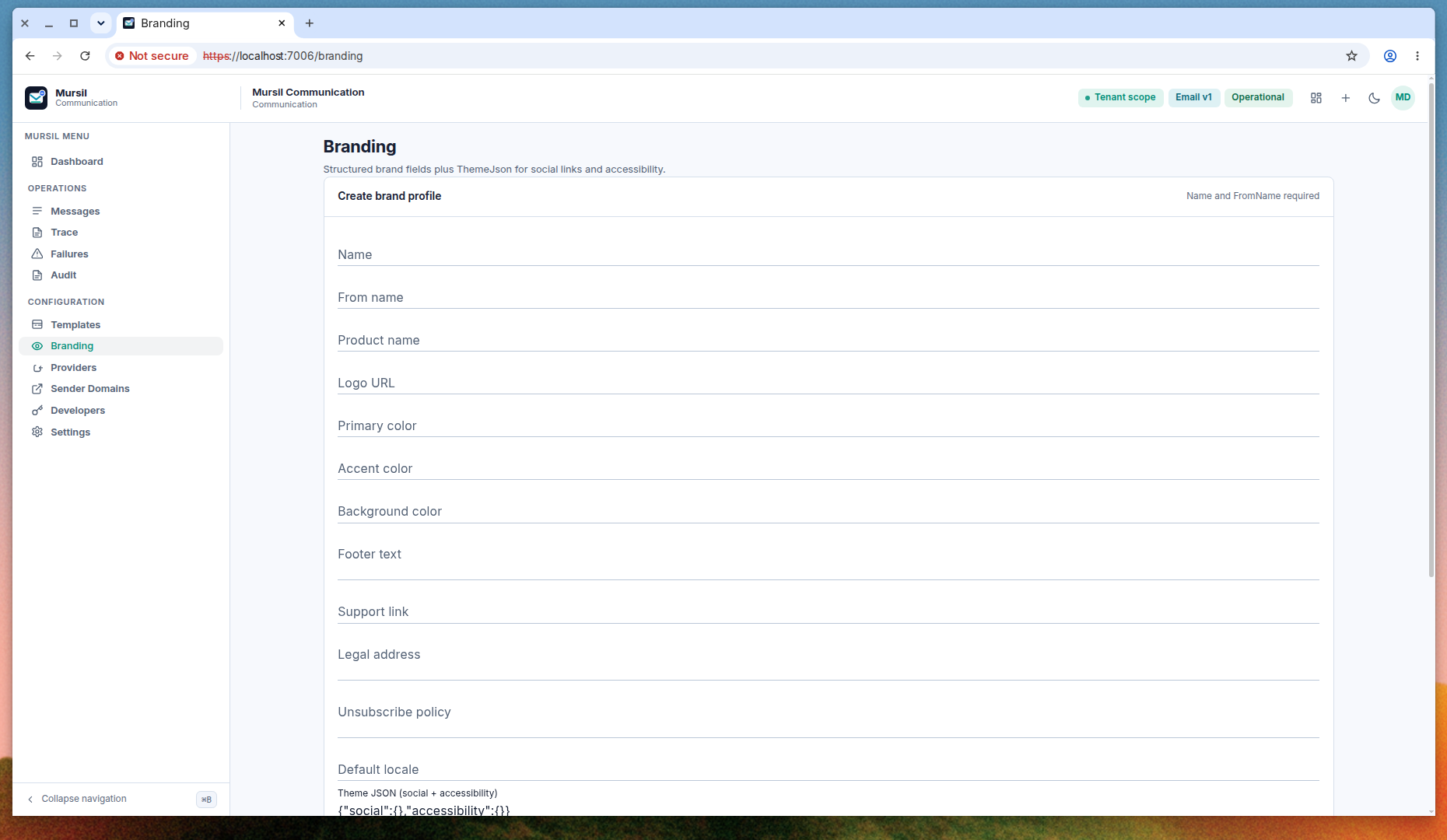
Fill these first:
- Name. The profile name you will recognize later in a list.
- From name. The name on the From line in the recipient’s inbox.
The same form continues with product name, logo URL, primary color, accent color, background color, footer text, support link, legal address, unsubscribe policy, default locale, and Theme JSON for social links and accessibility. The seed value is:
{"social":{},"accessibility":{}}
The form is long, so Create sits below this screenshot. The header describes the page as structured brand fields plus ThemeJson.
Templates
A draft is not live. Preview shows the draft. Publish is what production send uses. Send resolves the published version through POST /api/v1/mursil/messages/email.
This capture did not load the list. The page stopped on an error.
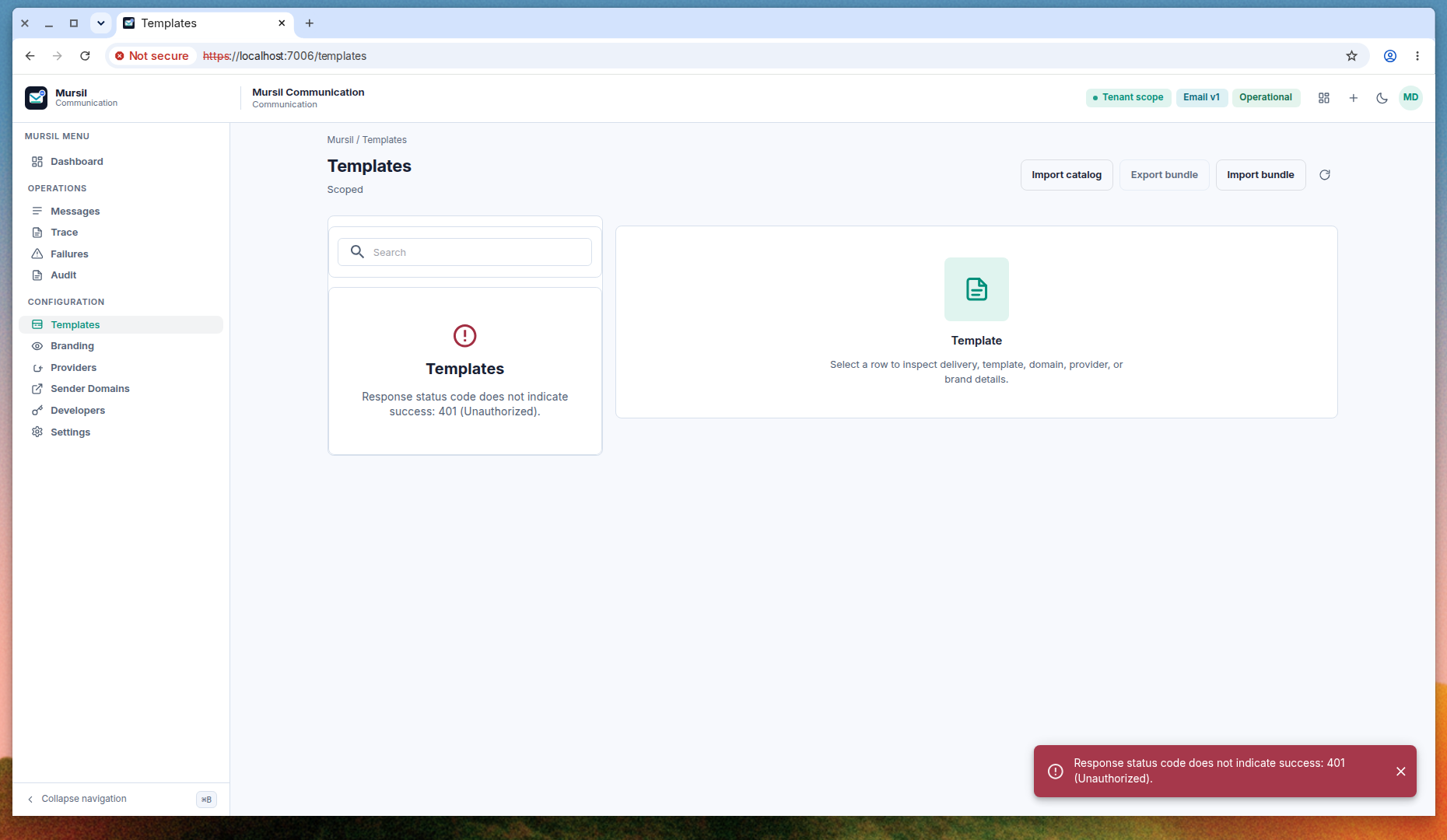
The left card reports: response status code does not indicate success, 401 Unauthorized. The same text is in the snackbar. The right panel is the empty inspector: select a row to inspect delivery, template, domain, provider, or brand details. The actions along the top are Import catalog, Export bundle, and Import bundle.
There is no template row, Preview button, or Publish button in this shot because the list failed with 401. The dashboard separately shows a template count of 9. That count did not appear as rows here. Treat the screenshot as the unauthorized state. When the page loads, open a row, run Preview, and publish only the version that should be used for live mail.
Providers
Create a provider when you need a real sender. Do not add another row for local Mailpit. AppHost already points SMTP at Mailpit.
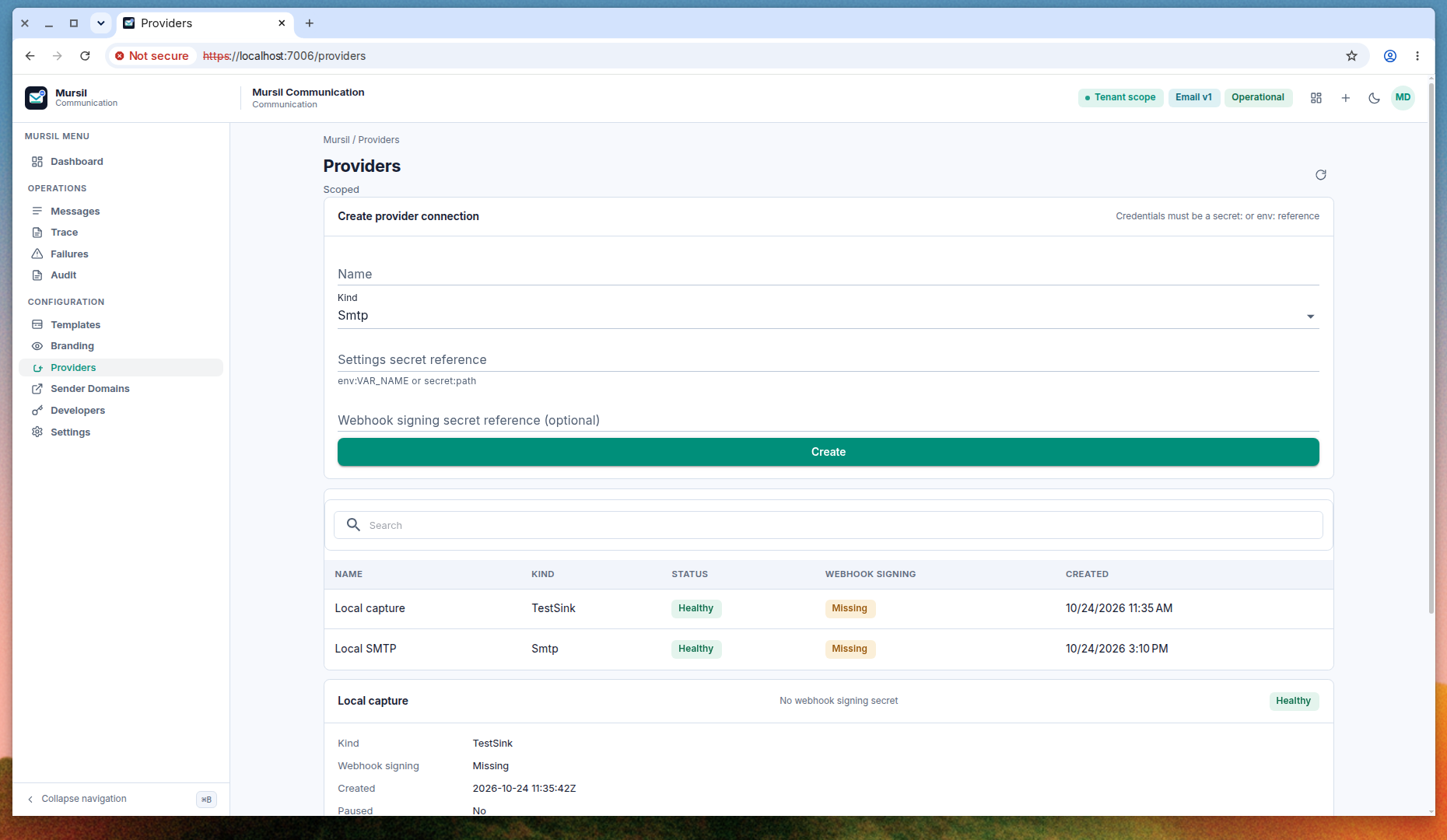
The card Create provider connection requires credentials to be an env: or secret: reference.
| Field | What to enter |
|---|---|
| Name | A name for this connection. |
| Kind | Smtp is selected in the capture. Choose the real sender’s kind here. |
| Settings secret reference | env:NAME or secret:path. Helper text: env:VAR_NAME or secret:path. |
| Webhook signing secret reference | Optional. Same style. Not a raw secret. |
Do not type a raw password into these fields. Then choose Create.
Below the search box, two local rows are already present. Both are Healthy. Webhook signing is Missing.
| Name | Kind | Created (as shown) |
|---|---|---|
| Local capture | TestSink | 10/24/2026 11:35 AM |
| Local SMTP | Smtp | 10/24/2026 3:10 PM |
The open detail for Local capture shows kind TestSink, webhook signing Missing, created 2026-10-24 11:35:42Z, paused No, and the line “No webhook signing secret”. Leave these rows in place for Mailpit. Add a new row only for a real sender, and only after that connection is healthy should Settings select it as the default.
Sender domains
Add a sender domain when you have a domain of your own. Do not add a placeholder.
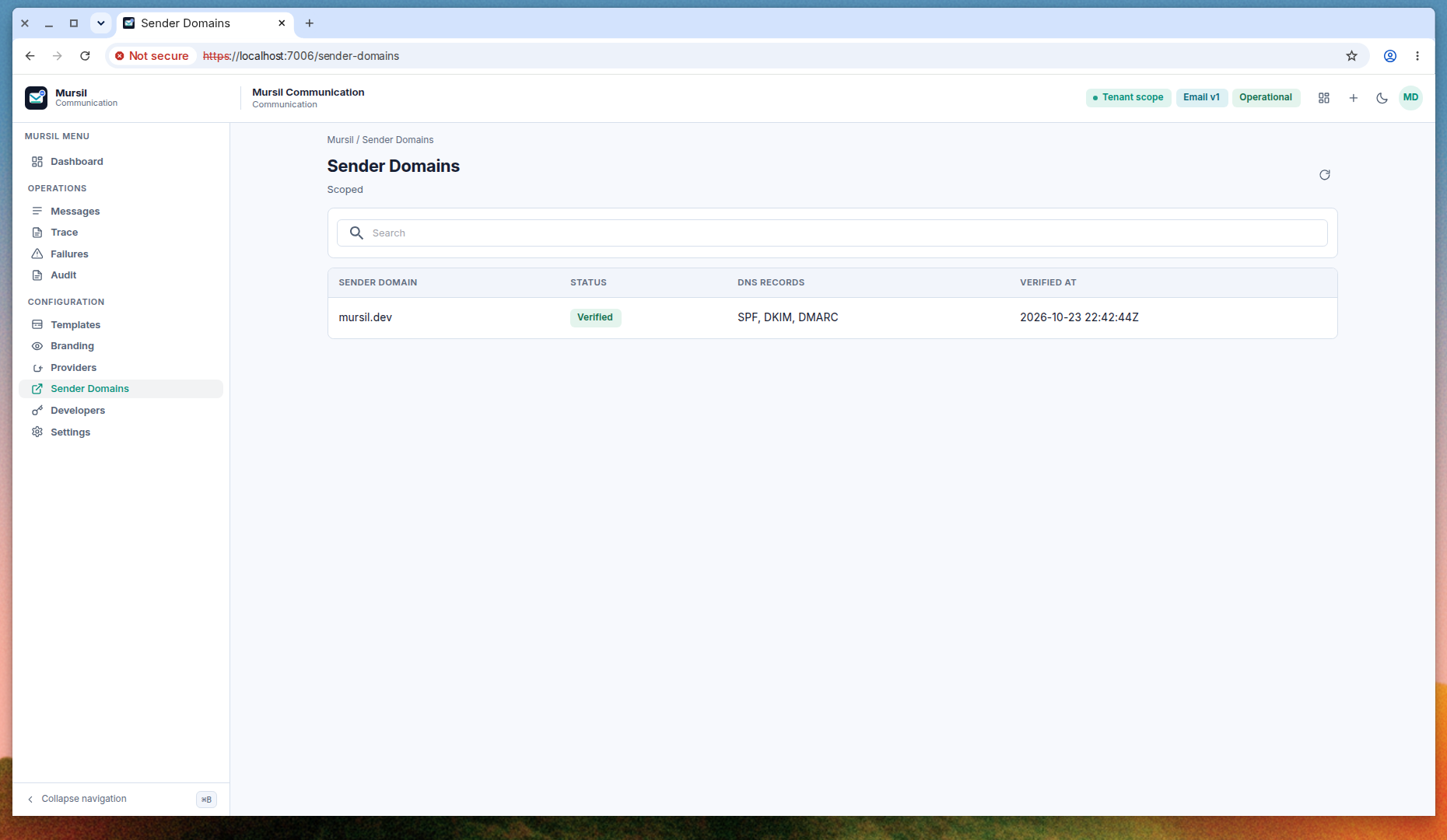
The local screen already has one row.
| Sender domain | Status | DNS records | Verified at |
|---|---|---|---|
| mursil.dev | Verified | SPF, DKIM, DMARC | 2026-10-23 22:42:44Z |
The list page in this capture has a search box and the table. It does not show a create form. When your domain is ready, its row should appear here as Verified, with SPF, DKIM, and DMARC recorded the same way. The API can create and verify a domain. See Reference.
Settings
Settings is application controls and recipient controls. The header names sandbox, rate limit, engagement tracking, and suppression exchange. The card meta reads “Not a paid plan”.
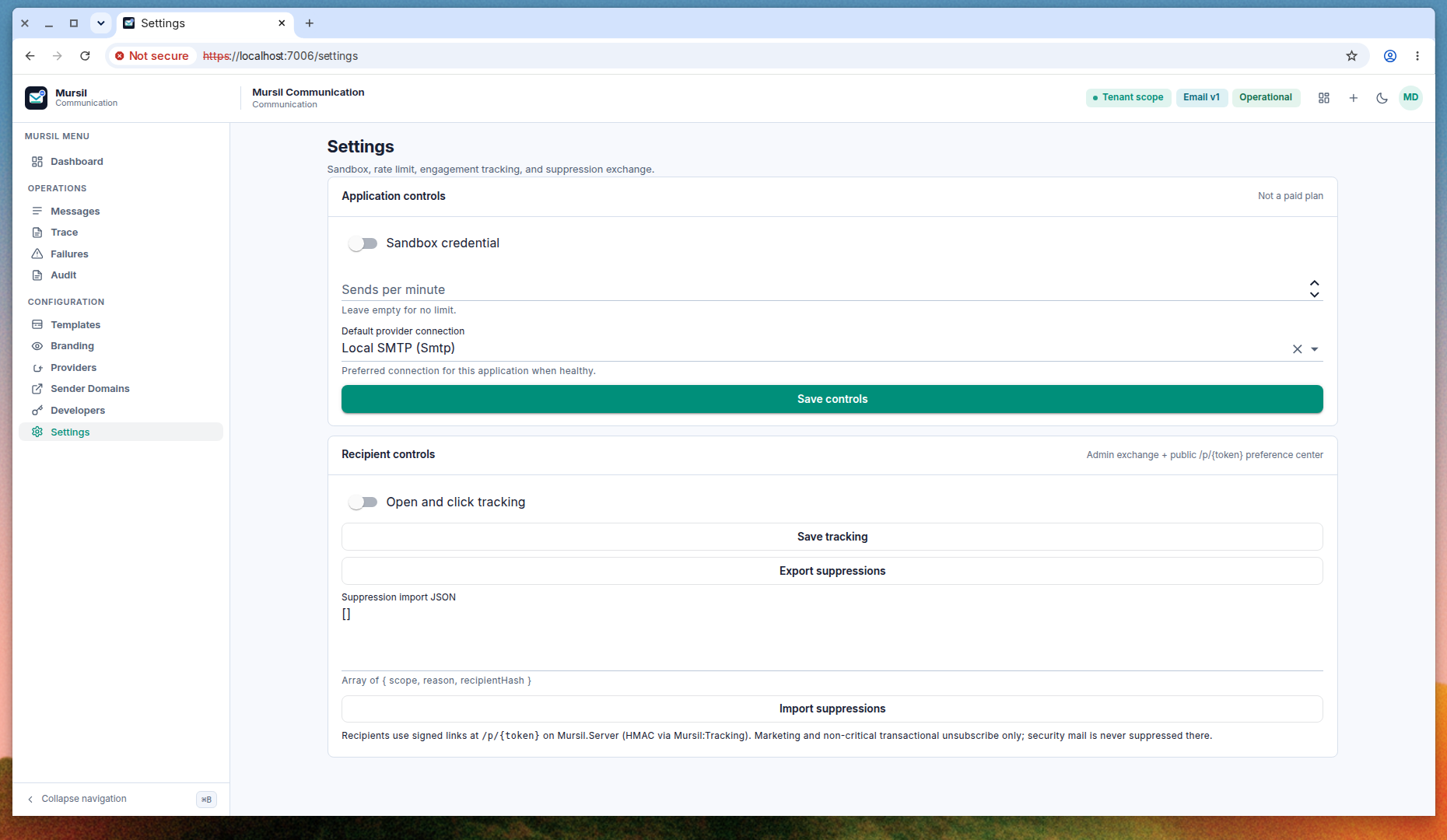
Application controls
- Sandbox credential. Off in this shot. Turn it on only when you want sandbox behavior.
- Sends per minute. Empty. The helper says leave empty for no limit. A number is a per-minute cap.
- Default provider connection. Local SMTP (Smtp) is selected. The helper calls it the preferred connection for this application when healthy. Leave the local SMTP selected while you are on Mailpit. Choose a real sender only after that provider row is healthy.
Then Save controls.
Recipient controls
The meta line describes an admin exchange and the public /p/{token} preference center.
- Open and click tracking. Off in this shot. Turn it on only if you want tracking, then Save tracking.
- Export suppressions. Downloads current rows.
- Suppression import JSON. The field shows
[]. The helper describes an array of{ scope, reason, recipientHash }. Do not paste a raw address or a raw secret. Import hashed rows, then Import suppressions.
Recipients use signed links. /p/{token} is served by Mursil.Server, HMAC via Mursil:Tracking. Marketing and non-critical transactional unsubscribe happens there. Security mail is not suppressed on that page.
Developers
The Developers page is empty. It does not mint an API key.
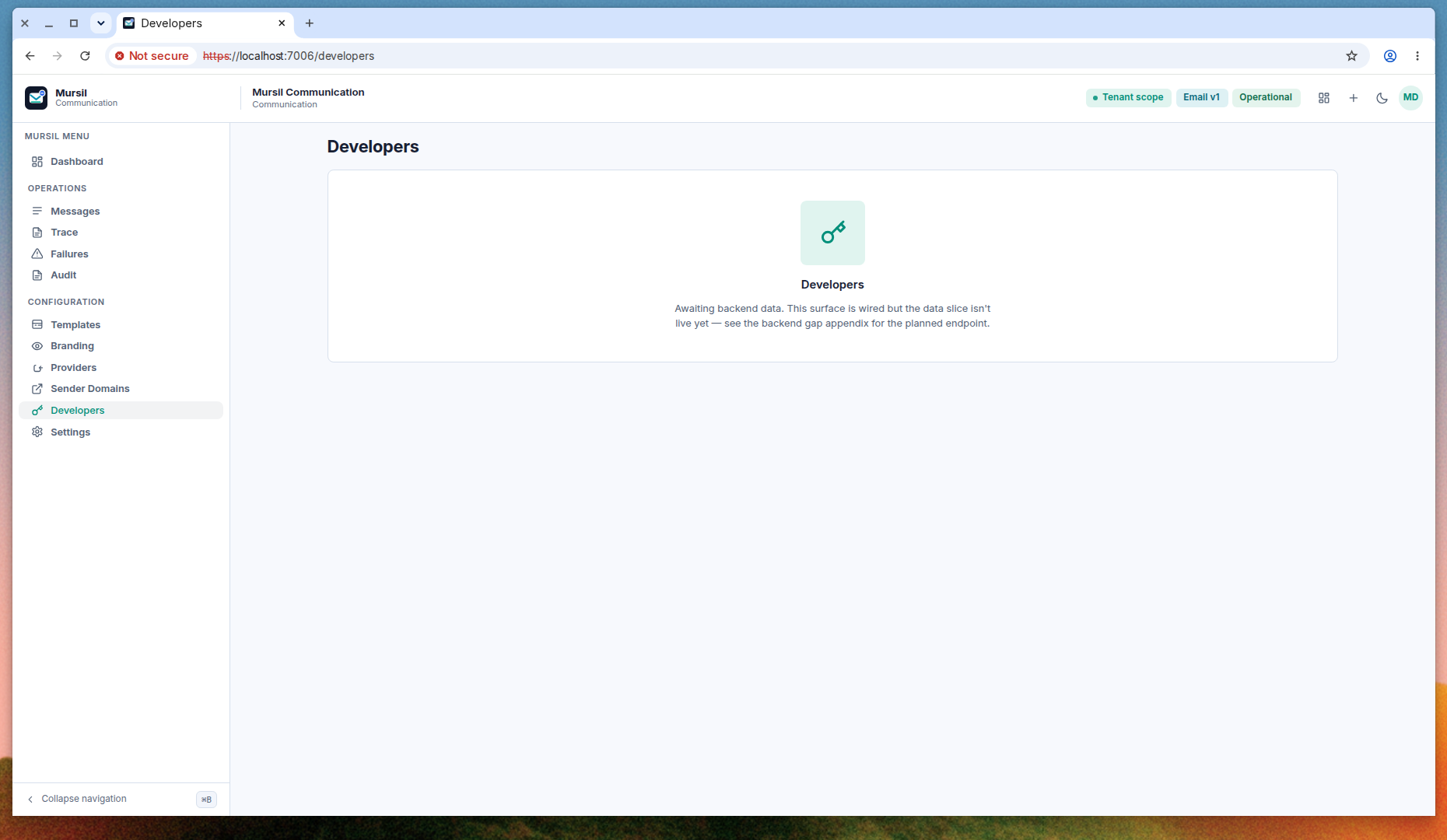
The center of the page says the surface is wired but the data slice is not live yet, and points at the backend gap appendix for the planned endpoint. Mail is not sent from this page. Send stays on POST /api/v1/mursil/messages/email or the Mursil.Integration package, and both use a published template.
After setup
Dashboard
Dashboard is the first item under the Mursil menu. It is the health summary.
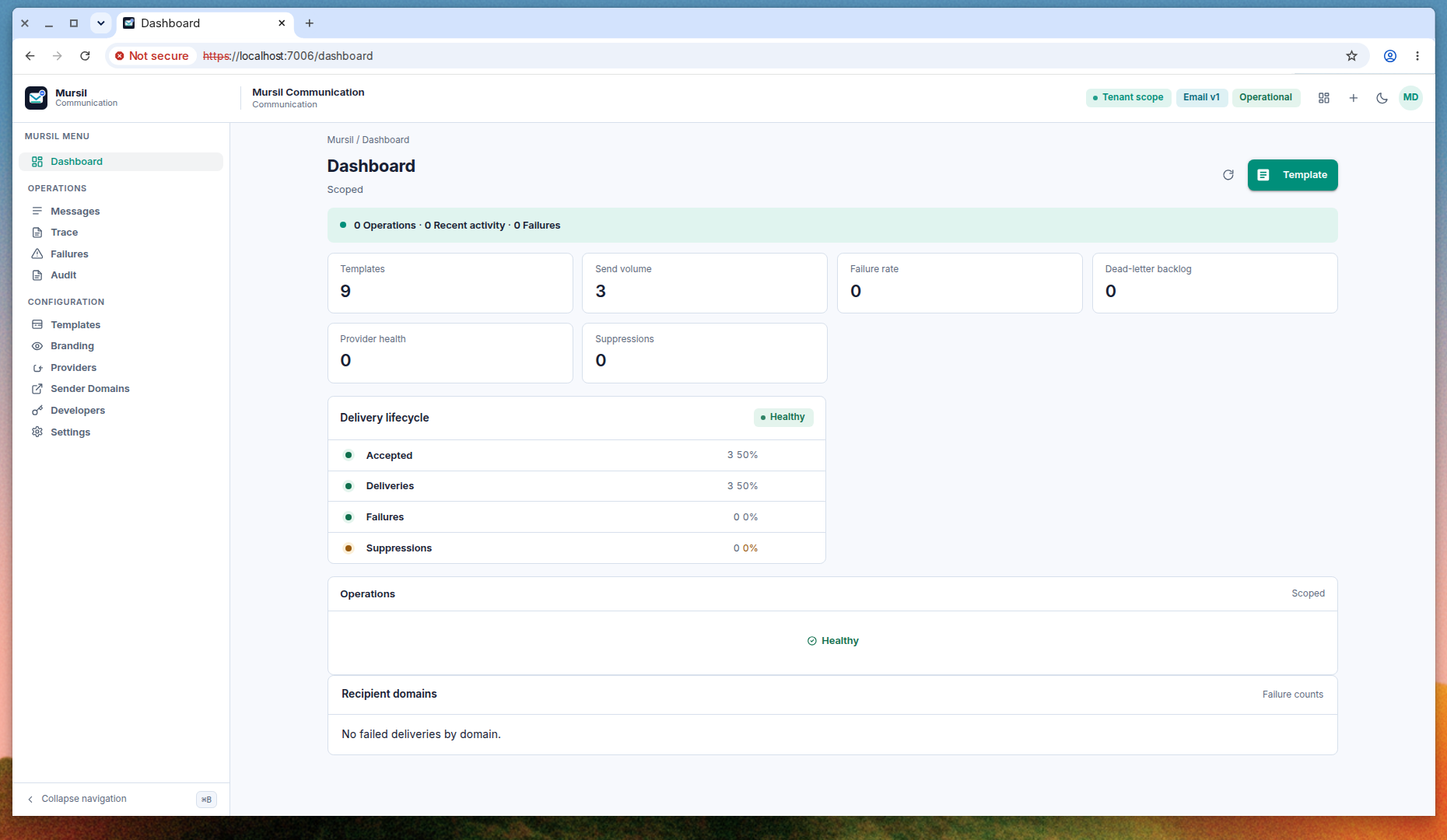
This shot shows:
- Status bar: 0 operations, 0 recent activity, 0 failures.
- Templates 9, send volume 3, failure rate 0, dead-letter backlog 0.
- Provider health 0, suppressions 0.
- Delivery lifecycle Healthy: Accepted 3 (50%), Deliveries 3 (50%), Failures 0, Suppressions 0.
- Operations card Healthy.
- Recipient domains: no failed deliveries by domain.
Start the day here. Open Failures when the failure rate or the dead-letter backlog moves.
Failures
Failures is in the Operations menu, under Trace.
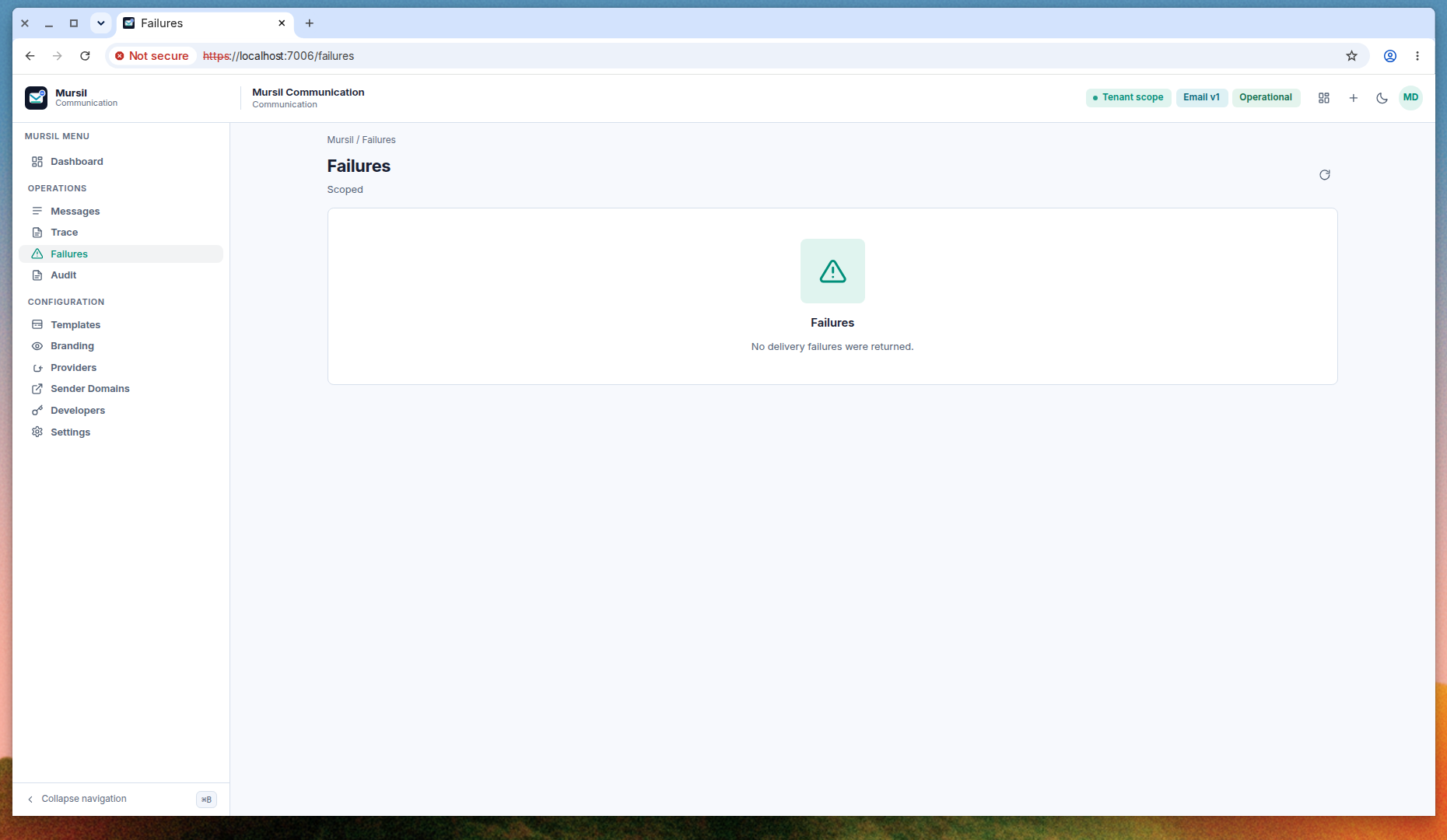
The empty state reads “No delivery failures were returned.” When a delivery fails, the row appears here. Retry, suppress, and resolve are the operator actions described in Delivery and operations.
Audit
Audit is in the same Operations menu, under Failures. Use it when you need the record of who did what in the portal. This documentation set does not include an Audit screenshot. The API is GET /api/v1/mursil/audit.